The summer is almost over, and a lot of things has changed since the last time I posted. Back in May I decided to start treating skipifzero like a real job, I started working less hours at my ordinary day job in order to make this happen. What I had not anticipated was that a number of companies would, simultaneously, start trying to recruit me shortly afterwards.
A lot of time has been spent the last two months juggling recruitment processes, i.e. interviews, contracts, etc. Way more time than I had liked. Luckily (?) this happened to coincide with my summer vacation, so it did not actually take that much time from skipifzero, only from my personal vacation meant to rejuvenate me for another years work.
The result of all this is that, starting in September, I have a new job at a gaming startup here in Gothenburg. This is not the end of skipifzero, I still intend to continue the work I started back in May. It does however mean that I will not be able to spend as much time on it as I had originally planned to, meaning progress will be a bit slower.
This is not all bad, however. It basically means I can take it slow and do it at my own pace. I don't have to feel pressured to get stuff done quickly because I'm no longer investing the same amount of money (in terms of time) as previously. In the long run I think the quality of the projects will be better of for it.
But enough about me, what has happened with the projects these last two months? The most important change is that the new next generation renderer for Phantasy Engine is finally live. Apart from that I have started making the first test level of Project Apocatropics, which has mostly involved fixing and implementing various things necessary to make that happen.
# Project Apocatropics
The current goal is to create an initial level with at least some of the planned gameplay mechanics. I am not quite there yet, but progress is being made.
## Less hardcoded worldspace loading
Worldspace is the term I use for "levels" in Project Apocatropics. I use "worldspace" because the game is not linear and the player may backtrack to previous areas. A worldspace is simply a collection of connected rooms in the same area of the game. The entirety of the worldspace is always completely loaded, even if perhaps only a single room might be visible at the time. Transitions to other worldspaces might entail a loading screen, however the long term goal is to completely avoid loading screens.
The very ugly test worldspace shown in previous posts was mostly created and loaded from JSON, so it was not actually particularly hardcoded at all. However, the logic for selecting which worldspace to load and initializing it was completely hardcoded. There was no logic for switching worldspace, etc.
In order to remedy this I have added the following state to the game state:
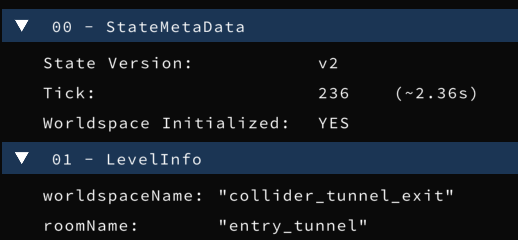
In other words, the game state keeps track of which worldspace is currently in use, which room the player is in and if the worldspace itself is initialized or not. The sequence of events for booting Project Apocatropics is now something like this:
1. Load a game state from somewhere (i.e. savegame).
- If no game state available, create "new game" initialized game state
2. Check which worldspace is currently active for the game state
- If the worldspace is not loaded, load it
3. Check if the worldspace is initialized or not
- If it is not, initialize it
Step 2 and 3 is done at the beginning of each tick, meaning if a system changes which worldspace is active in the game state then the new worldspace will automatically be loaded and initialized.
It might be worth clarifying that by "initializing" a worldspace I mean applying whatever changes are necessary for the specific worldspace to the game state. This might for example be spawning enemies or similar. Worldspace initialization is only done when "entering" a worldspace. Currently all worldspaces have the same initialization code, but it might be necessary to have custom code for some. It will cross that bridge when I get to it.
## Camera logic
In the simple test scene shown in previous posts the camera was always stuck at the same location. Since it is now time to start moving around in bigger worldspaces it was time to do something smarter.
In my current implementation the camera have 4 different primary states that change over time. These are:
* Camera position
* Direction the camera is looking
* Zoom level (i.e. field of view)
* Focus distance (for depth of field, not yet implemented)
Some work has gone into deciding rules for what these states should be depending on what happens in the game. But so far that has actually turned out to be fairly simple. What has been more of a problem is deciding how to set these states.
That might seem a bit confusing, isn't it enough to just set the states? Well, the problem is that the rules might produce states that are very different from one tick to the next. Just setting the states directly would produce a camera that jumps around unnaturally.
In the end I decided to simply set target states each tick, and then move towards these targets with a constant speed (different speed for each state). I experimented with also having accelerations in order to vary the speeds over time, but I had a hard time making it look natural. Below is a disastrous early attempt (no inputs whatsoever, camera is supposed to stay still):
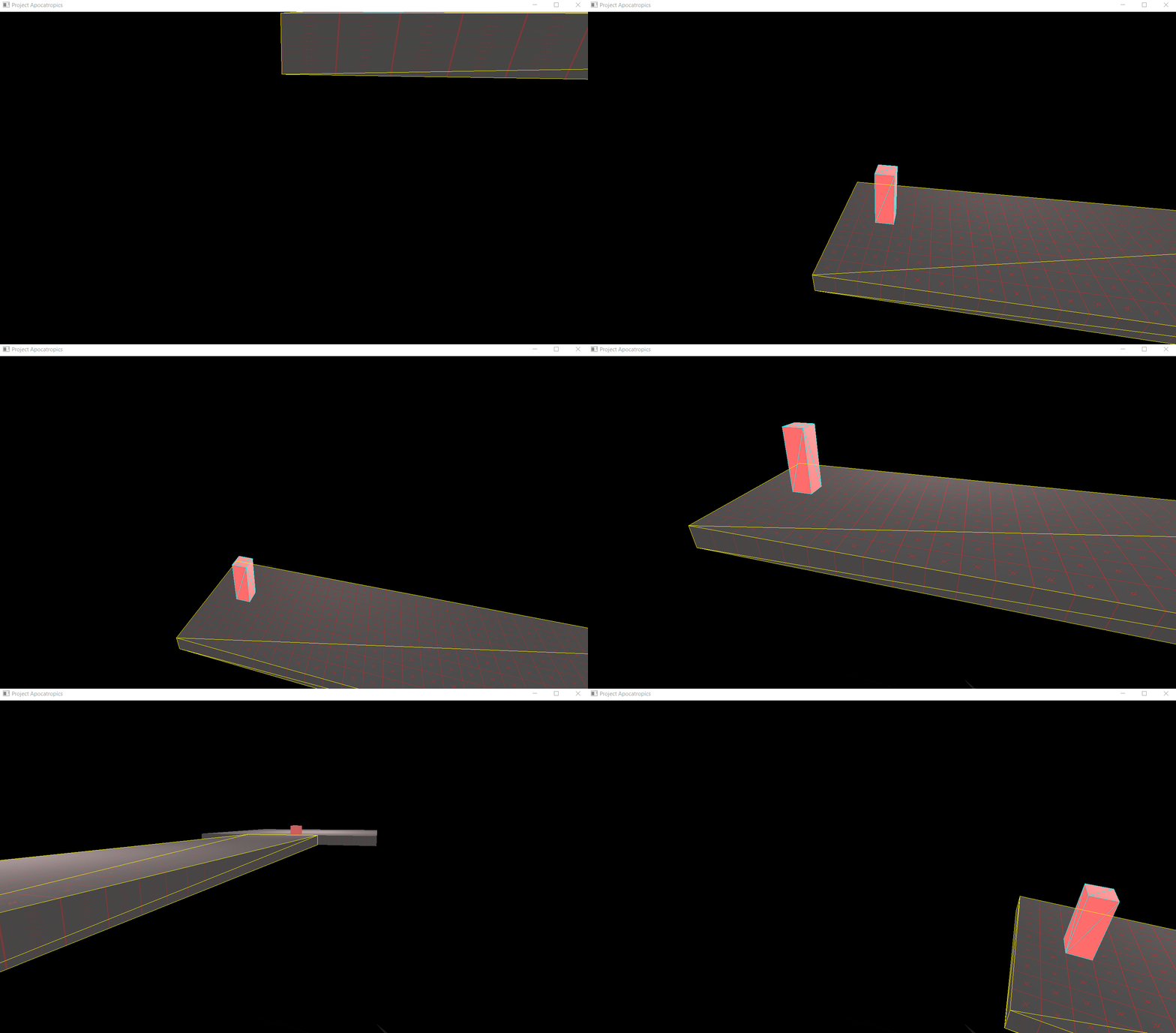
I almost managed to make it look good using acceleration, but I ultimately gav up on it for now. This is how it currently looks without acceleration:
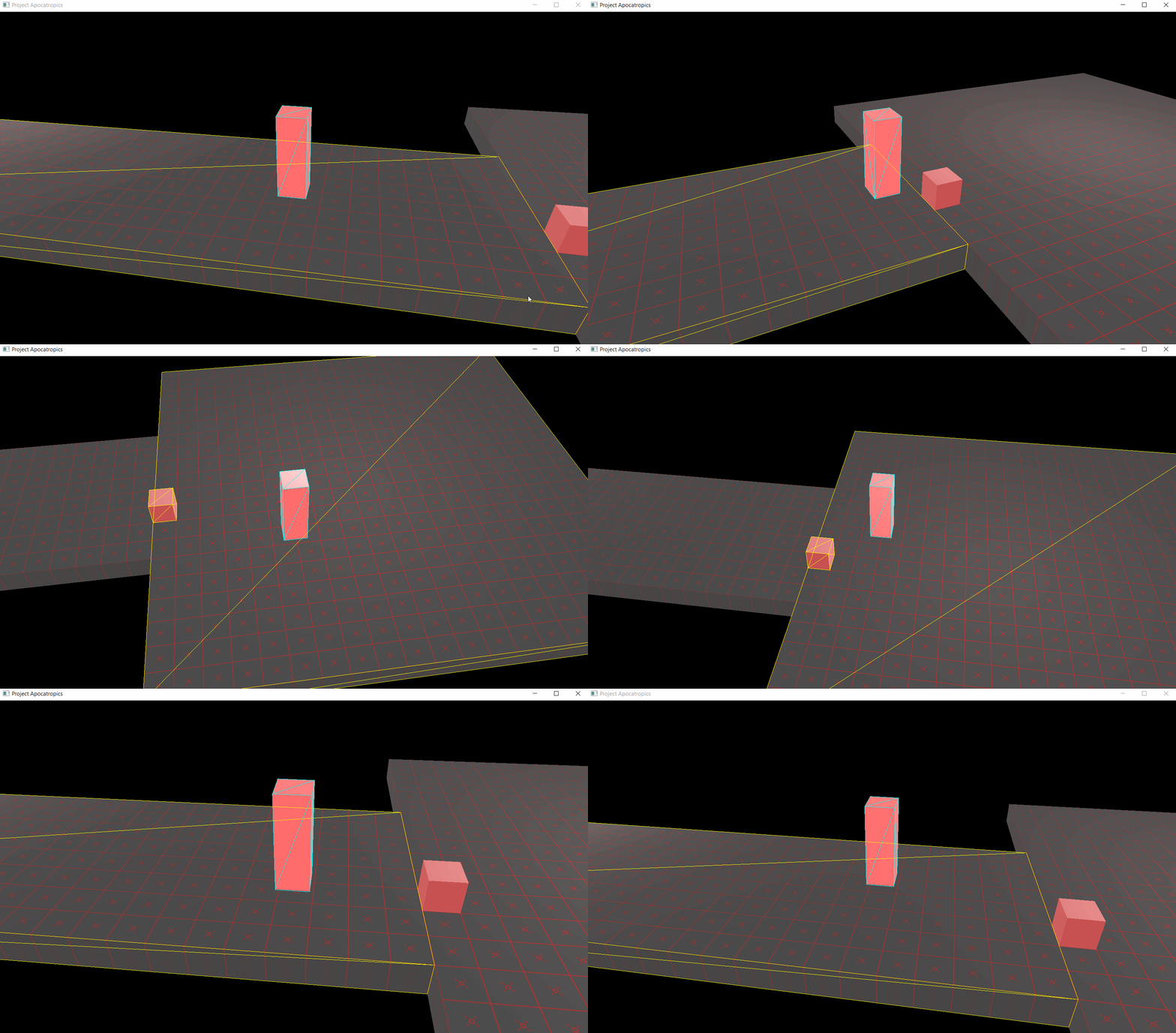
It's not perfect, and I will definitely come back to this later. But it is good enough for now.
# Phantasy Engine
Phantasy Engine has seen most of the updates this month, mainly in the form of the implementation and integration of the next generation renderer.
## Next generation renderer
The idea behind the next generation renderer was [discussed in the previous post](/posts/2019-07-09-july-2019-update.html), so I will not repeat myself here. Now after a lot of work the renderer is now at feature-parity with the old one (legacy) renderer.
I have learned my lesson and have decided to not support both renderers simultaneously, for this reason the legacy renderer was deprecated and removed a short time ago. Phantasy Engine has a [legacy renderer branch](https://github.com/PetorSFZ/PhantasyEngine/tree/LegacyRenderer) (also [the testbed](https://github.com/PetorSFZ/PhantasyTestbed/tree/LegacyRenderer)), so it is still possible to try out the legacy renderer if you are interested. However, no more work will be done on it by me.
The removal of the legacy renderer is not completely without issue. The next generation renderer is implemented using [ZeroG](https://github.com/PetorSFZ/ZeroG), which at the time of writing only has a Direct3D 12 implementation. This means that Phantasy Engine currently only works on Windows 10, previously it could compile and run on the following platforms:
* Windows
* macOS
* iOS
* The Web (via Emscripten)
* Linux (probably, after a bit of work because no testing)
That's quite a loss in terms of cross-platform support. When a Vulkan (or Metal) implementation is made for ZeroG support for most of those platforms should however be regained. The one that is a bit harder is the web via emscripten. Currently the only graphics API supported on the web is WebGL, which ZeroG can never be implemented on top of. It might potentially be possible to make a WebGPU implementation for ZeroG when WebGPU is released, but that's far off in the future.
## `sfzMin()` and `sfzMax()`
I will just refer to [my tweet](https://twitter.com/PetorSFZ/status/1165330439269167104) here. Because of the stupid reasons I tweeted about I ended up spending some time reworking parts of [sfzCore](https://github.com/PetorSFZ/sfzCore) (my standard library replacement which I use for Phantasy Engine) to use the variants of `min()` and `max()` which generate optimal code on Visual Studio.
Probably not super important or the best spent time, but it is a matter of principle for me. I use `min()` and `max()` as optimizations because I know they are implemented in hardware, if the compiler then does not actually generate the obvious assembly instructions I want it makes me a bit grumpy.
# ZeroG
ZeroG has seen its first actual use the last months during the implementation of the new renderer. The API itself has not changed that much, but has seen a fair share of bugfixes and minor improvements.
ZeroG is currently what might be considered a ["minimum viable product"](https://en.wikipedia.org/wiki/Minimum_viable_product), it has a single implementation (D3D12) and it can render simple scenes. The new renderer basically maxes out what is possible with its current capabilities. Going forward requires more features, specifically framebuffer support (rendering to off-screen texture) is a must in order to be able to achieve even simple modern rendering techniques (including shadows). The current list of most wanted features looks something like this:
* Framebuffer (off-screen rendering) support
* Compute shaders
* UAV buffers (i.e. [SSBO](https://www.khronos.org/opengl/wiki/Shader_Storage_Buffer_Object) in OpenGL lingo)
* Texture arrays (to achieve [bindless textures](https://mynameismjp.wordpress.com/2016/03/25/bindless-texturing-for-deferred-rendering-and-decals/))
However, how to proceed is not entirely obvious. While it is possible to just start expanding the API and extend the D3D12 implementation to support these new features, that might cause troubles on its own. The goal of ZeroG is to be a cross-platform API with support for multiple backend APIs. It is not even currently clear if the current API is 100% suited for other implementations than D3D12. Every feature that is added to the API makes it harder to create a new backend in something different than D3D12. Ideally, I would like to create a ([MoltenVK](https://github.com/KhronosGroup/MoltenVK) compatible) Vulkan implementation of the current API, fixing any API issues that turns up along the way. After that I could start implementing more features while keeping D3D12 and Vulkan support at parity.
Here is the problem though, creating a Vulkan implementation takes a lot of time. And it is not even generating any obvious value for my game. Implementing more features for the D3D12 backend is going to immediately improve what can be done with the new renderer and open up new possibilities for my game. I have no yet decided how to proceed, but I will have to make a choice soon.