This month has seen quite a bit of rendering related progress. It is mostly because all the work spent on ZeroG and the next generation renderer in Phantasy Engine is finally starting to pay off. In addition, work is continuing on creating the first worldspace in Project Apocatropics. Without further ado, let's get into it!
# Project Apocatropics
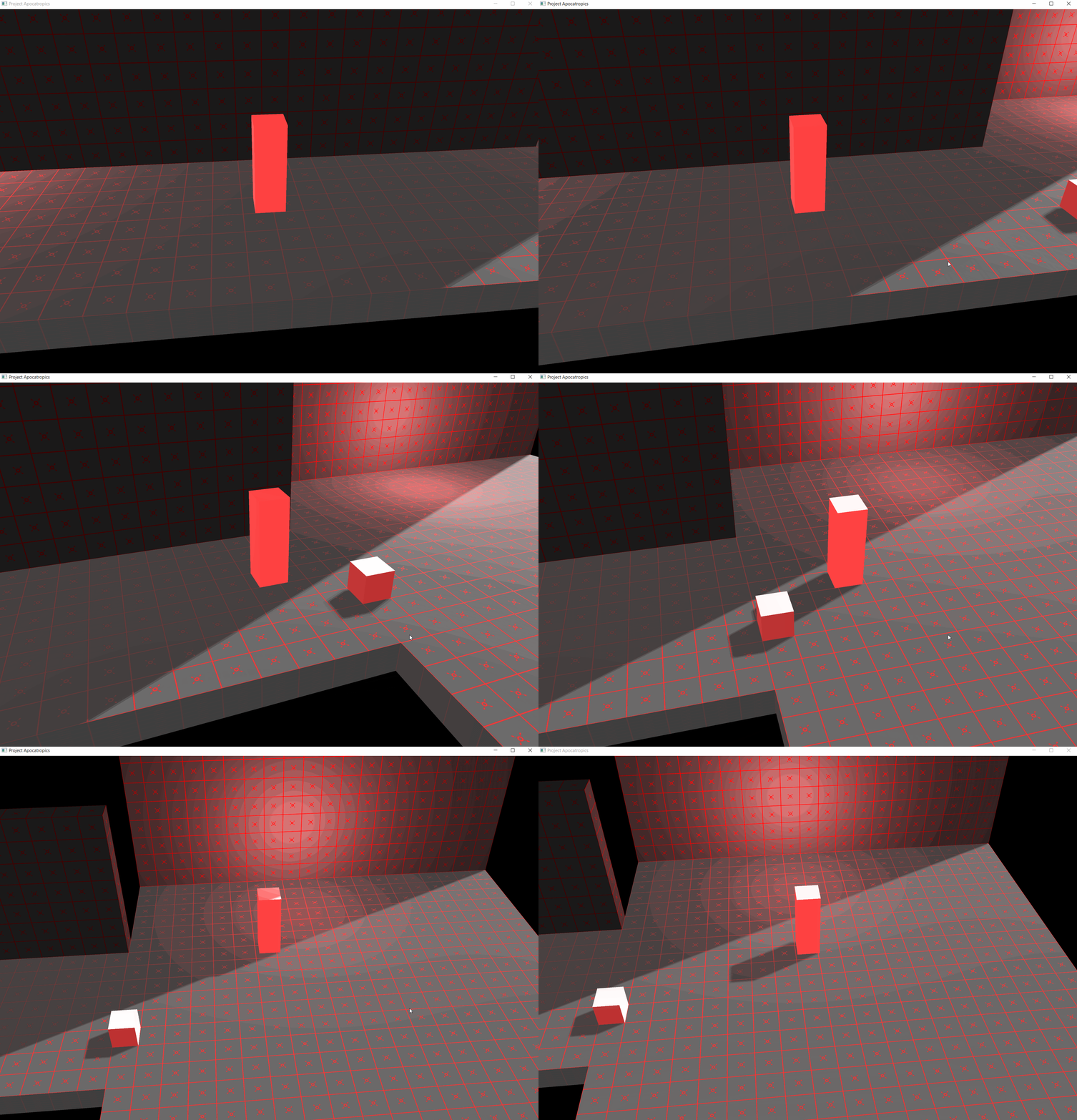
The current goal is still the same as last month, creating an initial worldspace (i.e. level) with some gameplay mechanics. The first step towards achieving this goal was some initial work on generating walls for the rooms, as can be seen in the gif above. However, the main brunt of the work this month has gone towards improving the in-game worldspace editor.
The long term goal has always been to have a level editor of some kind, but I had not planned to start working on that for a while. During this month I came to realize that I had to start sooner than planned, as it had already started to become quite annoying to constantly edit json files and restart the entire game to test out quick changes.
The current level editor I'm building is quite rudimentary, essentially on the level of manually editing json files in an in-game ui (powered using [Dear ImGui](https://github.com/ocornut/imgui) of course). The main benefit is that changes can be seen immediately, and some helper functions to improve common task can be written where appropriate.
In order to accomplish this task I have had to perform one major architectural change. A worldspace is stored inside a `Worldspace` datastructure. Previously, this `Worldspace` datastructure was created and parsed from a json file and some logic. This turned out to be problematic for two reasons:
1. The data in the `Worldspace` datastructure was not exactly the same as in the json file. It was a bit annoying to create (i.e. serialize) the `Worldspace` back into a new json file after changes was made to it.
2. Editing the current `Worldspace` through the editor caused changes to immediately take effect, but sometimes you needed to make multiple changes at once before applying them.
The solution I have come up with after some experimenting is to add an additional datastructure, `WorldspaceSpec`. `WorldspaceSpec` is as the name implies a specification for how to generate a `Worldspace`. More specifically, it is a direct copy of the json specification, but in C++. This makes it trivial to parse from json to `WorldspaceSpec` and back, as no logic or data transformations are necessary anymore. The editor modifies the `WorldspaceSpec` used to generate the current `Worldspace`, and then a new `Worldspace` is generated first when the user requests it.
The editor is still far from done, but it should hopefully be in a usable state soon.
# Phantasy Engine
Due to new features being implemented in ZeroG (render to texture), Phantasy Engine has seen quite a few rendering improvements this month.
## Framebuffers
The next generation renderer now has framebuffer support. It means that its possible to specify framebuffers that should be created, which framebuffer should be rendered to and where the textures from a given framebuffer should be bound as shader input.
The first (and maybe most obvious) usage of framebuffers is to render to an external framebuffer, and then copy the results to the screen instead of rendering to the screen directly. This introduces the concept of an "internal" resolution, i.e. you can render at a completely different resolution than that of your screen. Very useful to either get higher performance on weaker hardware or higher quality (super sampling) on stronger hardware.
## Deferred rendering
The next change that was introduced was a switch to deferred rendering. In traditional forward rendering you render each object to screen, shading it directly while rendering. With deferred rendering you instead have a pass where you render all your objects and store all their attributes needed for shading in a so-called GBuffer (Geometry Buffer). Then you perform your shading as a post step working on the GBuffer.
Deferred rendering has many advantages, such as not shading the same pixel multiple times, easier to integrate various post-processing effects such as SSAO, etc. As far as I know, it has two main disadvantages:
* Getting [MSAA](https://en.wikipedia.org/wiki/Multisample_anti-aliasing) to work is a pain.
* Transparency is not really possible and must be performed as a post pass (usually in the form of forward rendering).
That said, I personally deeply prefer working in a deferred pipeline over a forward one. In my experience it's usally quite a bit of annoying work to get a lot of effects (such as SSAO) working properly in a forward pipeline. I don't really feel that MSAA is worth all that development effort.
## Cascaded shadow maps
Phantasy Engine has been without shadows for quite a long time now. In fact, the last time the engine had shadows [was in 2016](https://github.com/PetorSFZ/PhantasyEngineTestbed), and then it was in the form of real-time ray traced shadows (in CUDA). Implementing shadows again has been something I have wanted to do for quite a while, but for some reason it just hasn't been that high of a priority.
Well, now was the time. With the introduction of render to texture it was possible to render shadow maps in ZeroG. After a bit of work I had the following result:
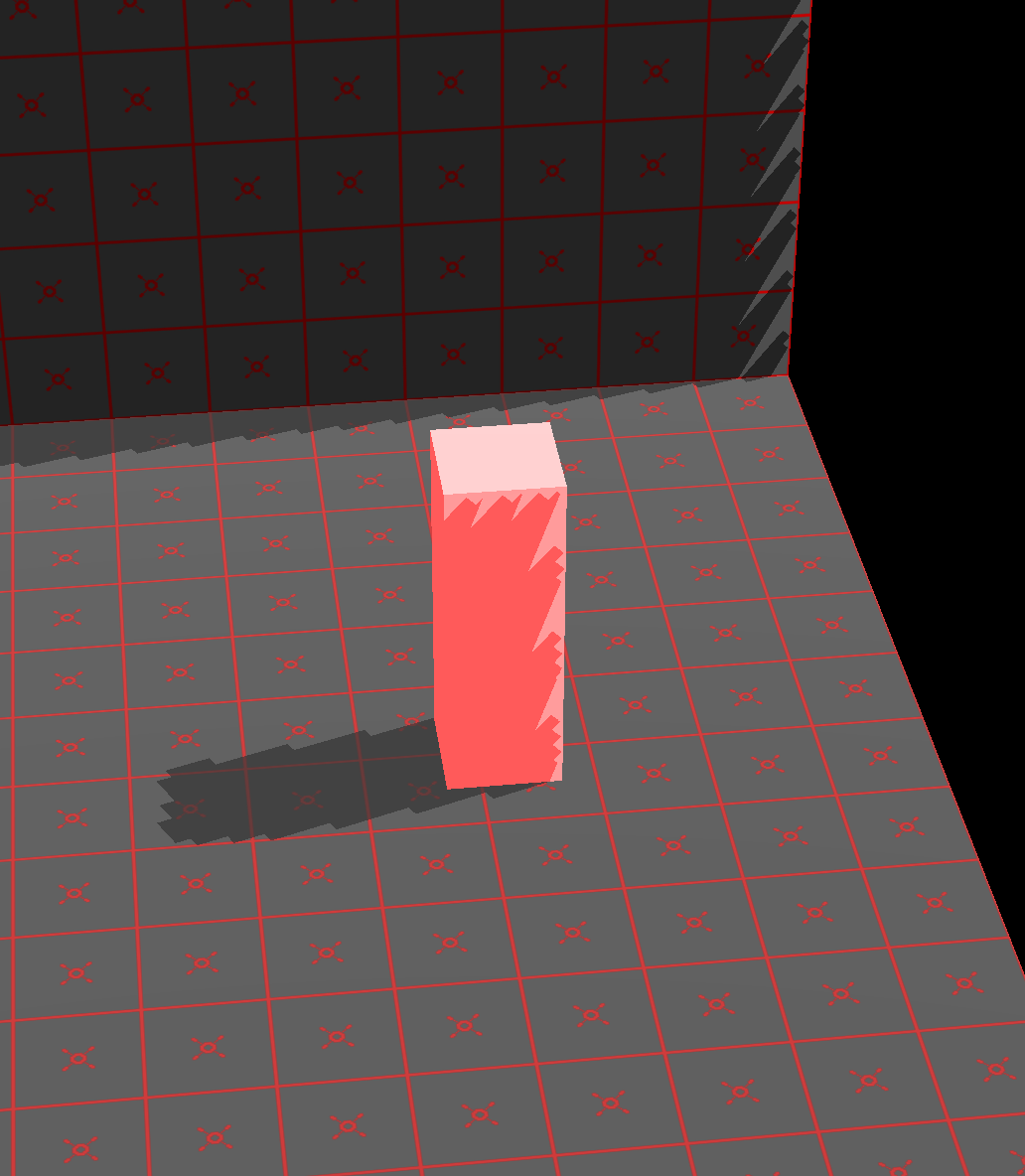
That looks really ugly of course, but I was really, really happy with that result. It meant that ZeroG, after months of work, had finally become good enough to do any kind of interesting work in. After working on the shadows for a while I now have the following result:
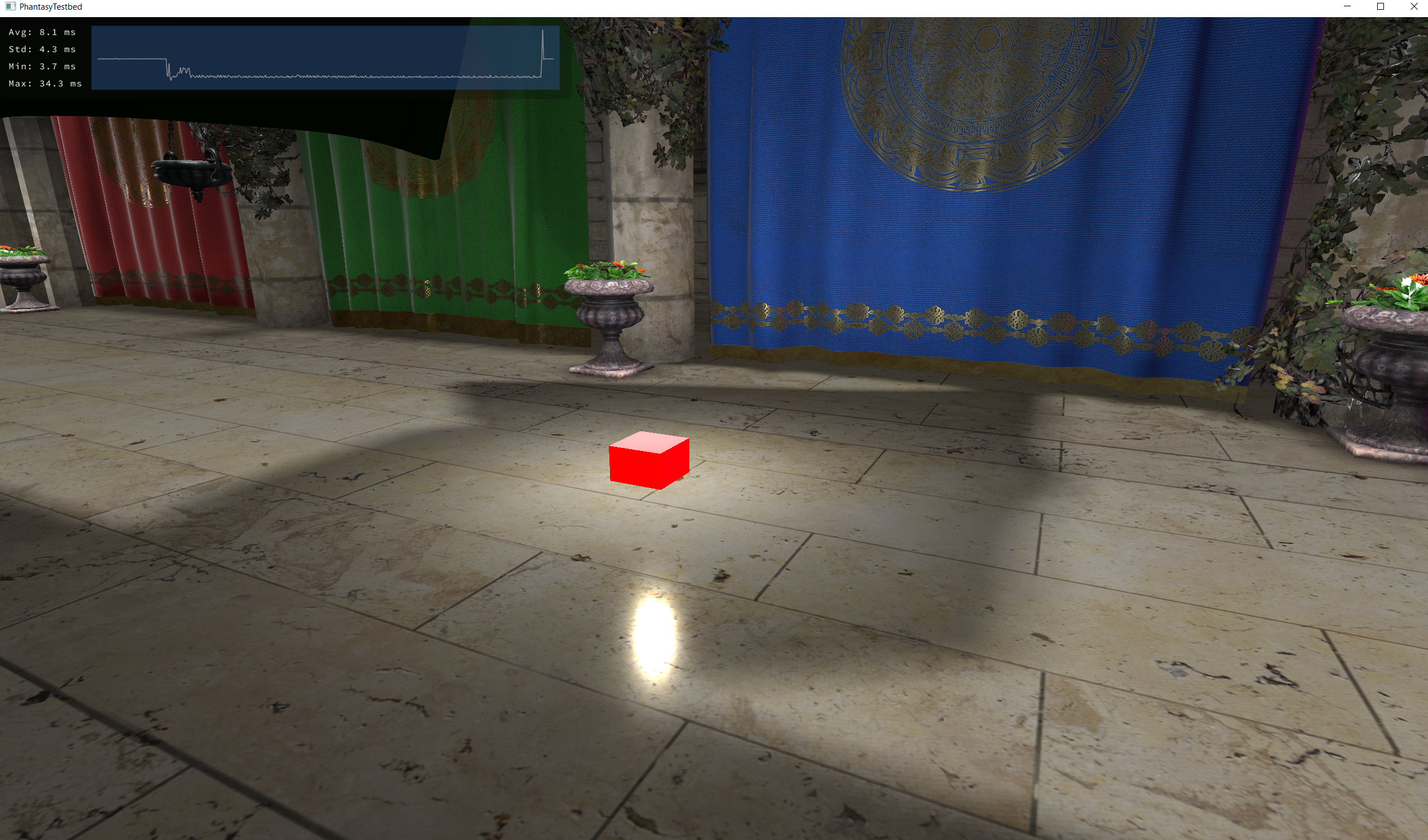
That's rendering the shadows with a unrealistically liberal amount of PCF ([Percentage Closer Filtering](https://developer.nvidia.com/gpugems/GPUGems/gpugems_ch11.html)). In addition to PCF, I also implemented some initial support for cascaded shadow maps.
The idea behind cascaded shadow maps is essentially to have multiple shadow maps (of different resolutions) covering different parts of your viewing frustum. I.e., higher resolution closer to the camera, lower resolution further away. My current implementation is a bit too conservative (i.e. I render to much area with each shadow map), but overall I'm quite happy with it as an initial step.
# ZeroG
Last month I described how I was at a bit of a fork in the road regarding how to proceed with ZeroG. One option was to leave it at the current feature set and start implementing a backend in another API (Vulkan or Metal), in order to once again achieve cross-platform support. Another option was to start implementing support for some heavily needed features, at the cost of making it harder to implement another backend. I choose the second option.
## Render to texture
The feature I choose to implement is proper render to texture. This is a very important feature that opens up for a lot of new stuff. For one, it makes it possible to render shadow maps, which is essential for most games.
In order to make this possible I had to perform quite a bit of refactoring and restructuring of the API. Textures that can be rendered to need to be allocated from a different kind of memory heap altogether in D3D12 (in Heap Tier 1, which is most NVIDIA GPUs).
I choose to introduce a `ZgFramebuffer` object that is used when rendering to texture. Technically, this is not necessary in D3D12 and it should have been equally possible to just specify which textures should be rendered to directly each time. However, the implementation became quite a bit easier, and I don't think it's that big of a loss for the user. The concept itself should feel familiar from OpenGL, where it works basically the same way. That said, this is something I might change in the future if I feel it would improve the API.
## View and projection matrices
I often find there to be quite a bit of confusion regarding view and projection matrices when using various graphics APIs. In my case I wanted to switch to [reverse-z](https://developer.nvidia.com/content/depth-precision-visualized) in order to improve my depth precision, but I initially had some troubles getting my projection matrices from [sfzCore](https://github.com/PetorSFZ/sfzCore) working (turns out they were broken).
I strongly feel that these matrices should not be part of a graphics API itself, as the GPU really doesn't care what you use. However, in order to reduce confusion for me and my (future potential) users I decided it could be an okay compromise to provide reasonable defaults in the optional C++ wrapper/helper library that is shipped with ZeroG.
The default view matrix (`zg::createViewMatrix()`) uses the normal OpenGL view space, i.e. right-handed, y-up and negative-z towards the camera. This is also the only helper view matrix that is provided, I'm not going to support any left-handed weirdness. 😜
A number of projection matrices are provided that work well with the default view matrix:
* `zg::createPerspectiveProjection()`
* `zg::createPerspectiveProjectionInfinite()`
* `zg::createPerspectiveProjectionReverse()`
* `zg::createPerspectiveProjectionReverseInfinite()`
* `zg::createOrthographicProjection()`
* `zg::createOrthographicProjectionReverse()`
The `reverse` variants reverses the depth buffer so that 1 is closest and 0 furthest away, which [improves depth precision significantly](https://developer.nvidia.com/content/depth-precision-visualized) when using floating point depth buffers.
The `infinite` variants has the far plane set at infinity. Interestingly, this doesn't actually affect depth precision all that much, the precision is mainly determined by the distance to the near plane. Having the far plane at infinity is just all-around convenient, which is why these variants are provided.
# Conclusion
That's it for this month! Don't forget to follow me on [Twitter](https://twitter.com/petorsfz).